React Native
There is one available mode for React Native testing. Please adhere to the repository naming convention:
⚠️ One application per repository!
Follow this naming convention:
(courseCode)-hw[0..9]_[your_uniid]
Examples:
- ICD0018-hw2-your_uniid
- ICD0018-h2-kejans
Configure your repository
1. Enable Shared Runner
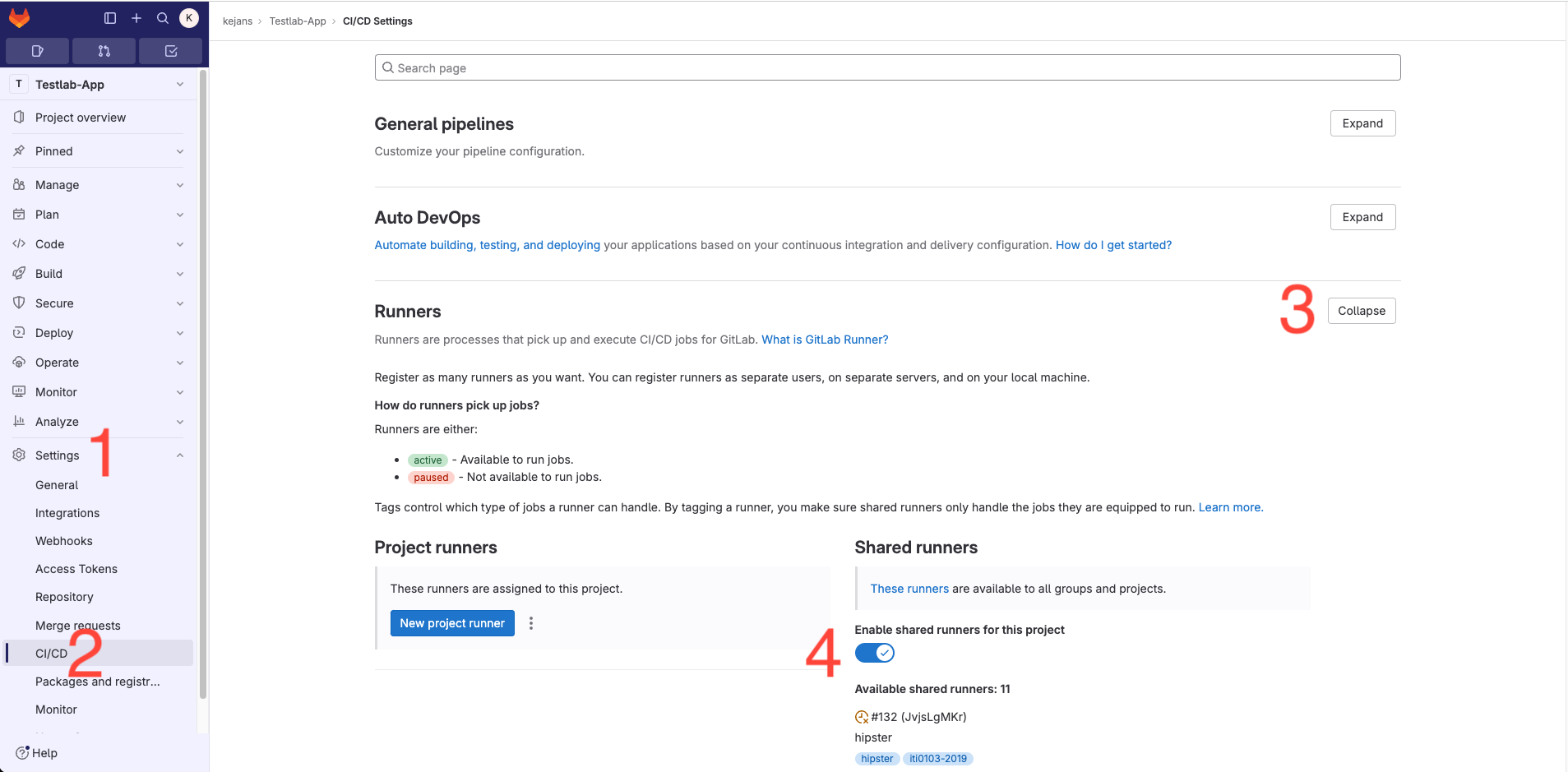
Go to Settings → CI/CD → Runners → Expand → Enable Shared Runners
2. Add user @testlab with Maintainer permission to the repository
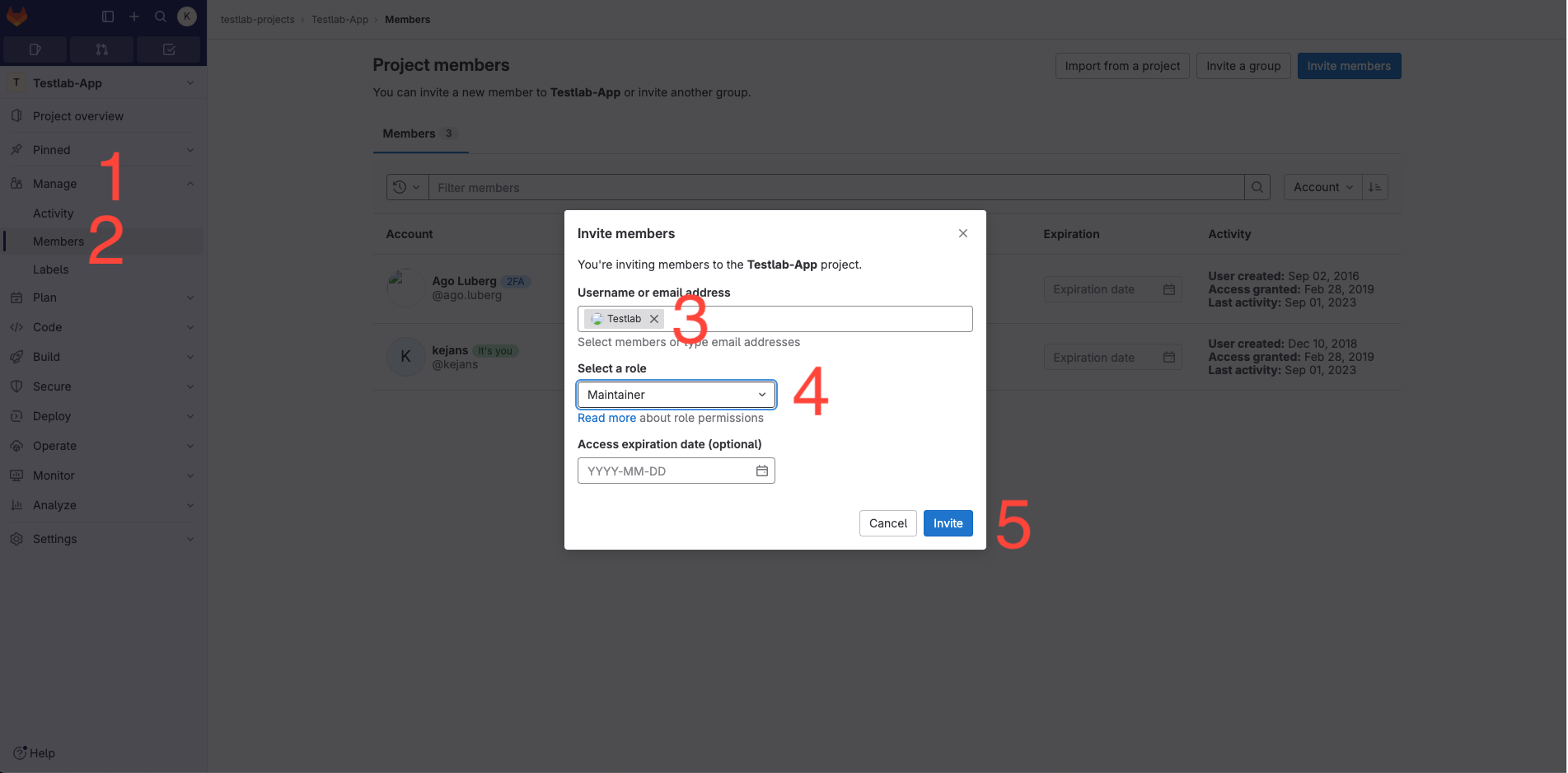
Navigate to Members, add @testlab with Maintainer permission, then click Invite.
3. Commit your application source code
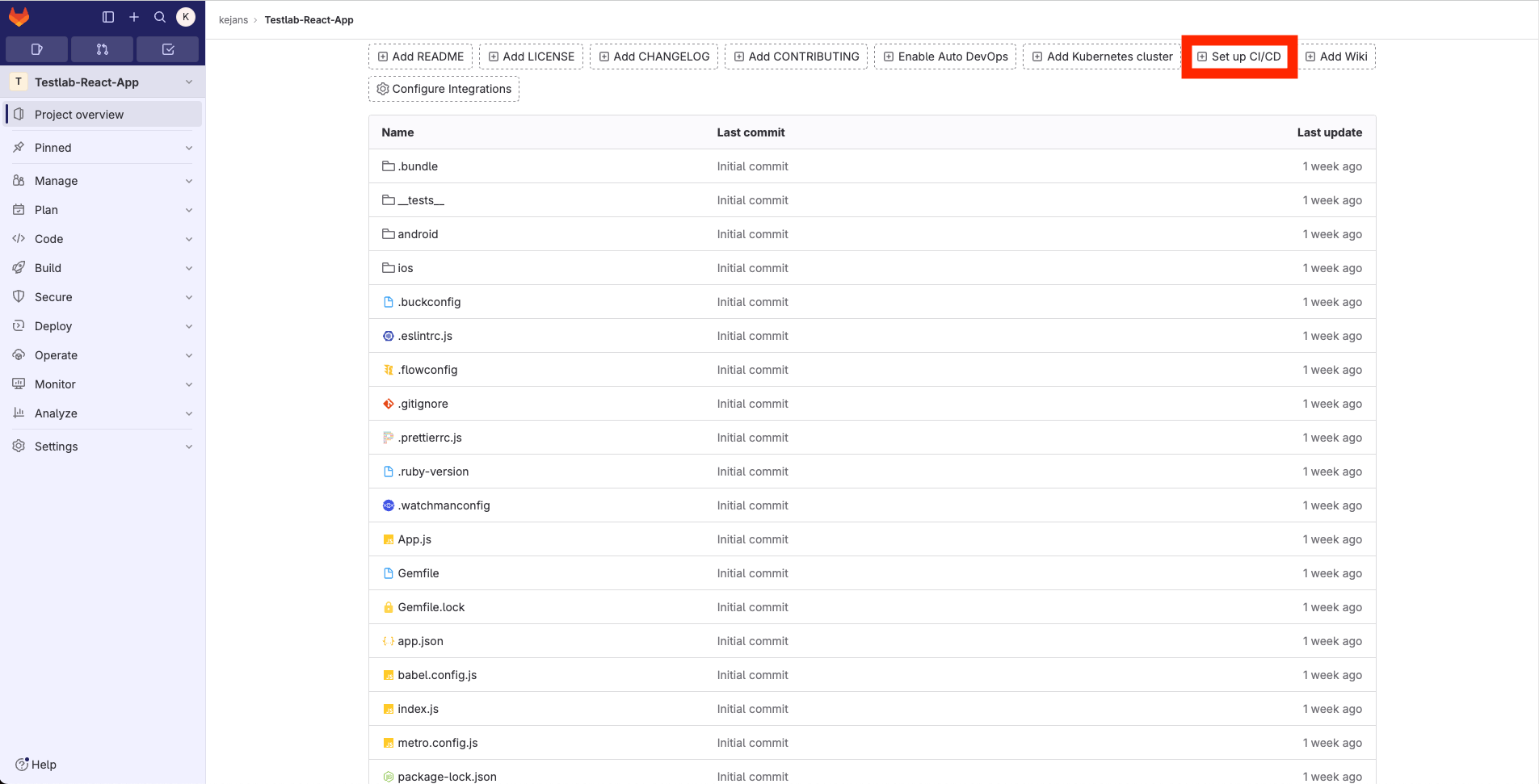
Configure pipeline or Buid -> Pipeline editor if setup ci/cd is not present.
⚠️ Ensure there is only one app per repository.
Your repository structure should resemble the following. Then click "Setup CI/CD"
4. Based on your requirements, replace the script of your .gitlab-ci.yml file
Click "Configure pipeline or Buid -> Pipeline editor"
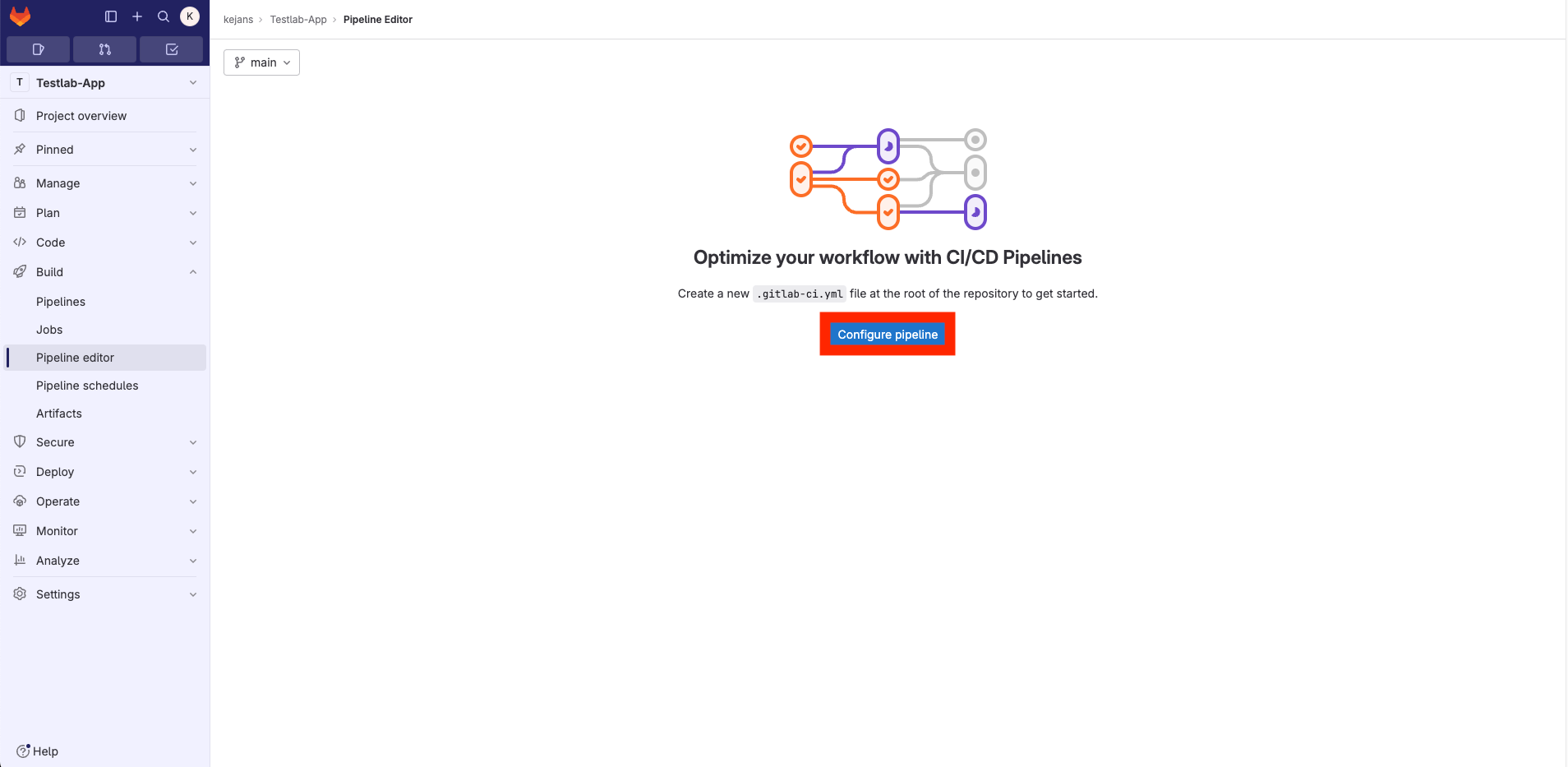
Depending on the test you'd like to run, click the link below and copy the .gitlab-ci.yml script to your .gitlab-ci.yml, then commit it.
Screenshot test - Use it to verify that your app compiles and runs on devices. It is good for testing Single Page Applications.
5. Next, navigate to CI/CD and initiate your job
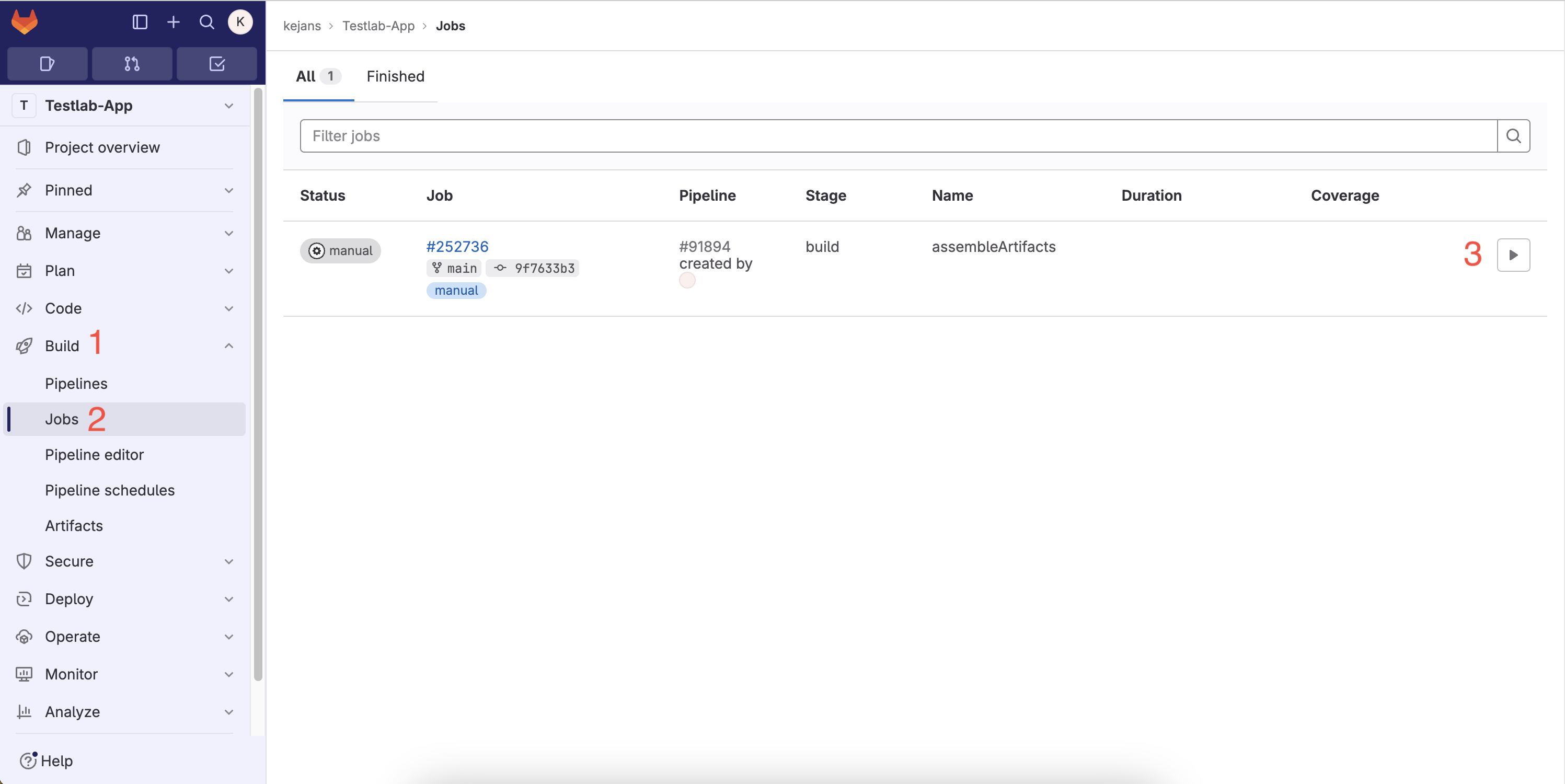
Go to Build-> Jobs and click ▶️
After clicking ▶️, the pipeline will start. You must manually start the pipeline each time you commit and push your code to GitLab. The pipeline usually takes between 5 to 30 minutes to run. You'll receive your test results at your UNIID email.
6. Congratulations, you did it! 🤩🤩
If you don't receive your results within 30 minutes, contact me on Teams (Kevin Janson) or at testlab@ttu.ee.
Happy coding!!
Screenshot Testing
This testing approach is automated and doesn't require you to write any tests. The script takes care of compiling your code and installing it on all accessible devices in Testlab. It captures screenshots in both portrait and landscape orientations. This is particularly useful for testing Single Page Applications or for verifying that your app installs correctly on various devices. To utilize this service, copy the following content into your .gitlab-ci.yml script
# DO NOT EDIT ANYTHING
image: reactnativecommunity/react-native-android:latest

stages:
  - build

variables:
  ANDROID_SDK_ROOT: /opt/android-sdk
  GRADLE_OPTS: "-Dorg.gradle.daemon=false -Dorg.gradle.parallel=true -Dorg.gradle.caching=true"

cache:
  key:
    files:
      - package-lock.json
  paths:
    - node_modules/
    - .npm/
    - android/.gradle/
    - android/build/

build_apk:
  when: manual
  stage: build
  before_script:
    - node --version
    - npm --version
    - npm config set cache .npm --global
    - npm ci --prefer-offline
  script:
    - npx expo prebuild --platform android --clean

    - cd android
    - chmod +x ./gradlew
    - ./gradlew assembleRelease --build-cache --configure-on-demand --parallel --max-workers=4
    - mkdir -p artifacts
    - mv app/build/outputs/apk/release/app-release.apk artifacts/app-debug.apk
    - |
      curl -X POST --location "https://testlab.taltech.ee/api/v1/startTest" \
        -F "platform=android" \
        -F "reportType=screenshot" \
        -F "apk=@artifacts/app-debug.apk" \
        -F "email=${GITLAB_USER_EMAIL}" \
        -F "repositoryName=${CI_PROJECT_NAME}" \
        -F "ignoredIds=R5CT83D4BHN, 98311FFAZ0025S"
🔗 Check out these links 🔗